Yin-Nyang
Created for the Confounding Calendar 2025.
Controls
Left click / drag (optional: keyboard)
How to play
Tiles
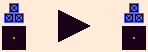
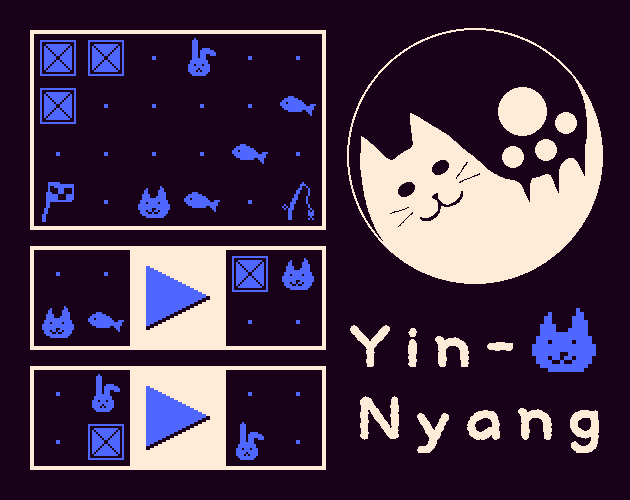
- Click the "▶" button on a tile to apply its replacement rule: a region in the main grid that matches the tile's left pattern is replaced with its right pattern.
- A tile cannot be used when its "▶" button is blacked out, meaning there is no place where its left pattern can be matched.
- Make the pattern shown on a locked tile in the main grid to unlock it.
- Orange items can be moved by dragging. Once you apply a tile, any items on it will turn blue and become fixed. Only boxes can be moved across frames.
Keyboard controls
You can assign a key to each tile by clicking the keyboard-shaped button on its right. You can use A-W, Y, 0-9, the arrow keys, and Space.
Undo/Redo/Revert
Undo, redo, and revert are available. "Revert" means undoing back to the previous major change.
Import/Export
You can export the current state as a text file and use it as save data. To import: click the load button and select a file. After loading, click the import button.
Make Easier
As you play, a "Make Easier" button may appear. This button reduces the difficulty of the current section. The game can be quite challenging, so feel free to use it. It would be great if you later try solving the section again without this button.
For players who want to see what will be unlocked in advance
2nd tile

3rd tile

4th tile

5th tile

6th tile

7th tile

8th tile

9th tile
10th tile

11th tile

12th tile

Contains spoilers
About the 5th tile
When you apply this tile, it consumes a fish and a button appears to the right of every tile. Click one of these buttons to unfix a tile. The buttons disappear once you apply any tile again, whether you use them or not.
About the 6th tile
Unfix all tiles by consuming a fishing rod.
Background
Inspired by the board game "Yin Yang", which fascinated me in 2025.
Leave a comment
Log in with itch.io to leave a comment.